GEO routing
Last updated View as Markdown (opens in a new tab)
Route calls differently depending on where the caller is calling from.
GEO routing checks where a call comes from. Calls that match your filters take the Matches path, all others take Doesn’t match, and calls with a hidden number can take an Anonymous calls path.
For example, send calls from your local area code to the local office and all others to head office.
Add it to your call flow
Section titled “Add it to your call flow”- Drag GEO routing from the Conditions group onto the canvas and click the gear icon.
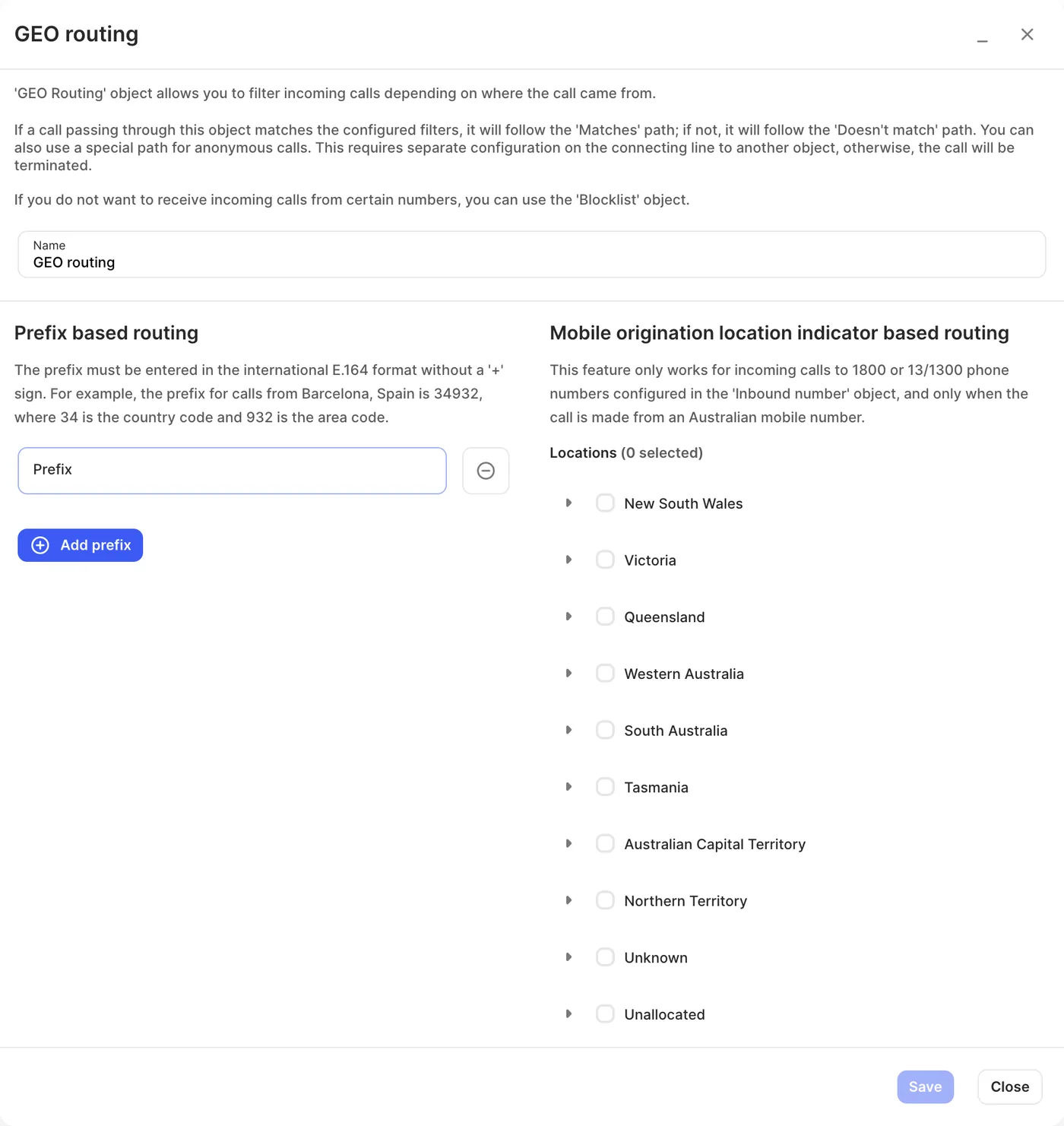
- Enter a Name and add prefixes or locations (see below).
- Click Save, connect the paths, and click Apply configuration.
Settings
Section titled “Settings”| Setting | What it does |
|---|---|
| Name | Label on the canvas. |
| Prefix based routing | Match calls whose number starts with a prefix. Use international format without the +: country code then area code. For example, 34932 is Barcelona, Spain (34 = Spain, 932 = area). Click Add prefix for each one. |
| Mobile origination location indicator based routing | Match calls by where an Australian mobile caller is. Under Locations, tick a whole state or territory, or expand it to tick individual areas. This section appears only if it’s enabled for your account. If you don’t see it, contact support. |
UK prefixes start with 44. For example, 4420 matches London (020) numbers and 44161 matches Manchester (0161) numbers. Use longer prefixes for finer routing.
Call paths
Section titled “Call paths”| Path | When it’s used |
|---|---|
| Matches | The caller matches one of your prefixes or locations. |
| Doesn’t match | The caller doesn’t match. |
| Anonymous calls | The caller’s number is hidden. |
If a path isn’t connected, the call ends.
Related
Section titled “Related”- Blocklist — to refuse calls from certain numbers
- Time conditions