Dial tone access
Last updated View as Markdown (opens in a new tab)
Call your PBX from any phone, enter a PIN and make an outgoing call as if you were in the office.
Dial tone access (also called DISA) lets you call your PBX from any phone, enter a PIN code, and then dial out as if you were in the office. The person you call sees your business number.
It’s useful when you only have a personal or borrowed phone but need to call a customer from your company number.
Add it to your call flow
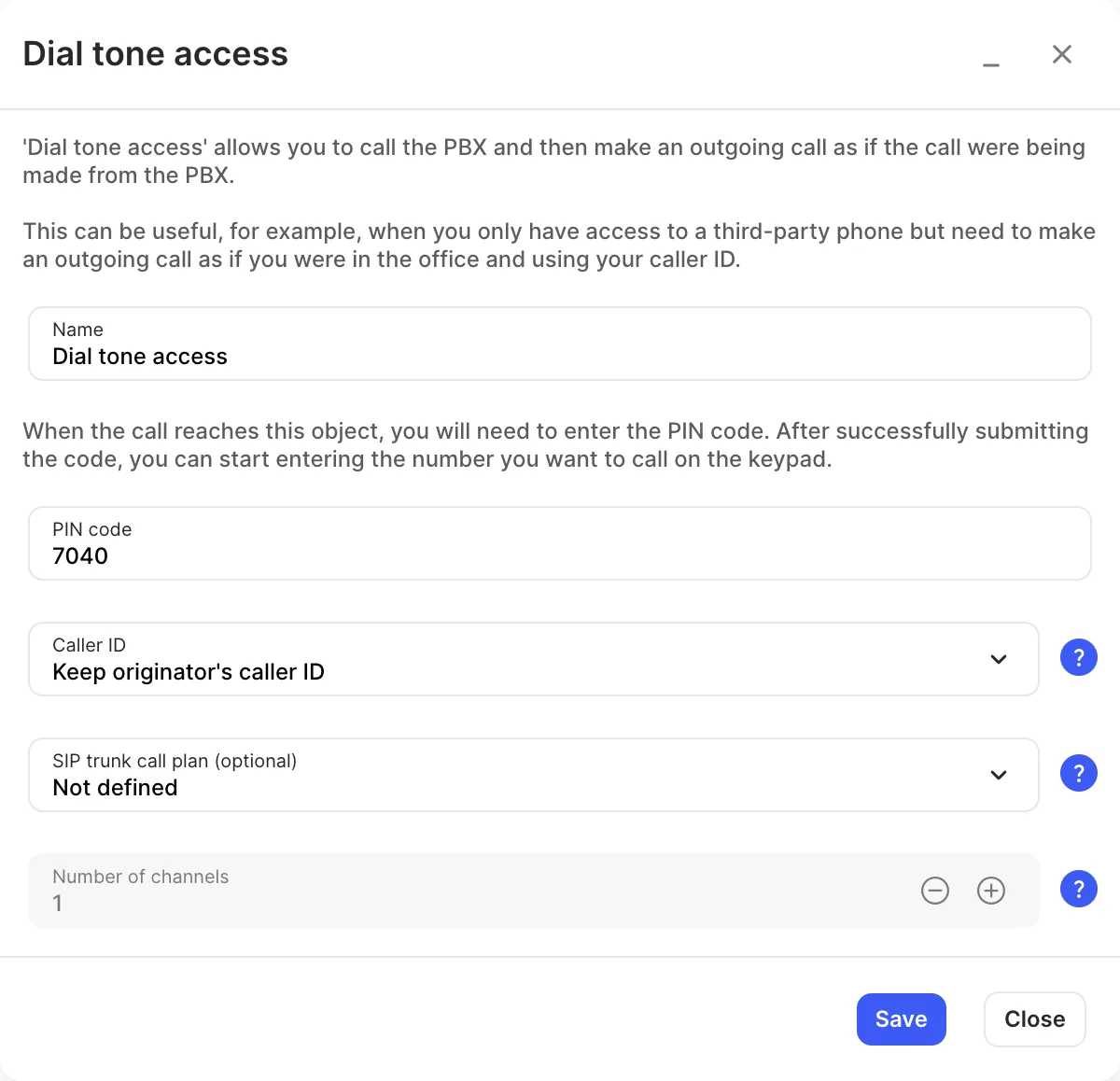
Section titled “Add it to your call flow”- Drag Dial tone access from the Accept, make and divert calls group onto the canvas and click the gear icon.
- Enter a Name and a PIN code.
- Choose the Caller ID for outgoing calls. To limit how many calls can use it at once, choose a SIP trunk call plan (optional) and set the Number of channels.
- Click Save, connect an Inbound number to it, and click Apply configuration.
To use it, call that number, enter the PIN code, then dial the number you want to call.
Settings
Section titled “Settings”| Setting | What it does |
|---|---|
| Name | Label on the canvas. |
| PIN code | Callers must enter this before they can dial out. |
| Caller ID | The number people see when you call them through this object. Only your purchased numbers (not toll-free or shared cost). The empty option is Keep originator’s caller ID: the called person sees the caller’s own number. |
| SIP trunk call plan (optional) | Rates used for calls through this object. By default the Primary account call plan is used. |
| Number of channels | How many calls can go through this object at the same time. Available only after you choose a SIP trunk call plan (optional). |