Call parking
Last updated View as Markdown (opens in a new tab)
Put a call on hold in a numbered slot so anyone on the team can pick it up.
Call parking holds a call in a numbered slot so another person can pick it up from any phone. For example, reception parks a call and announces “call for Sam on 701”; Sam dials 701 to take it.
Add it to your call flow
Section titled “Add it to your call flow”- Drag Call parking from the Handling mass incoming calls group onto the canvas and click the gear icon.
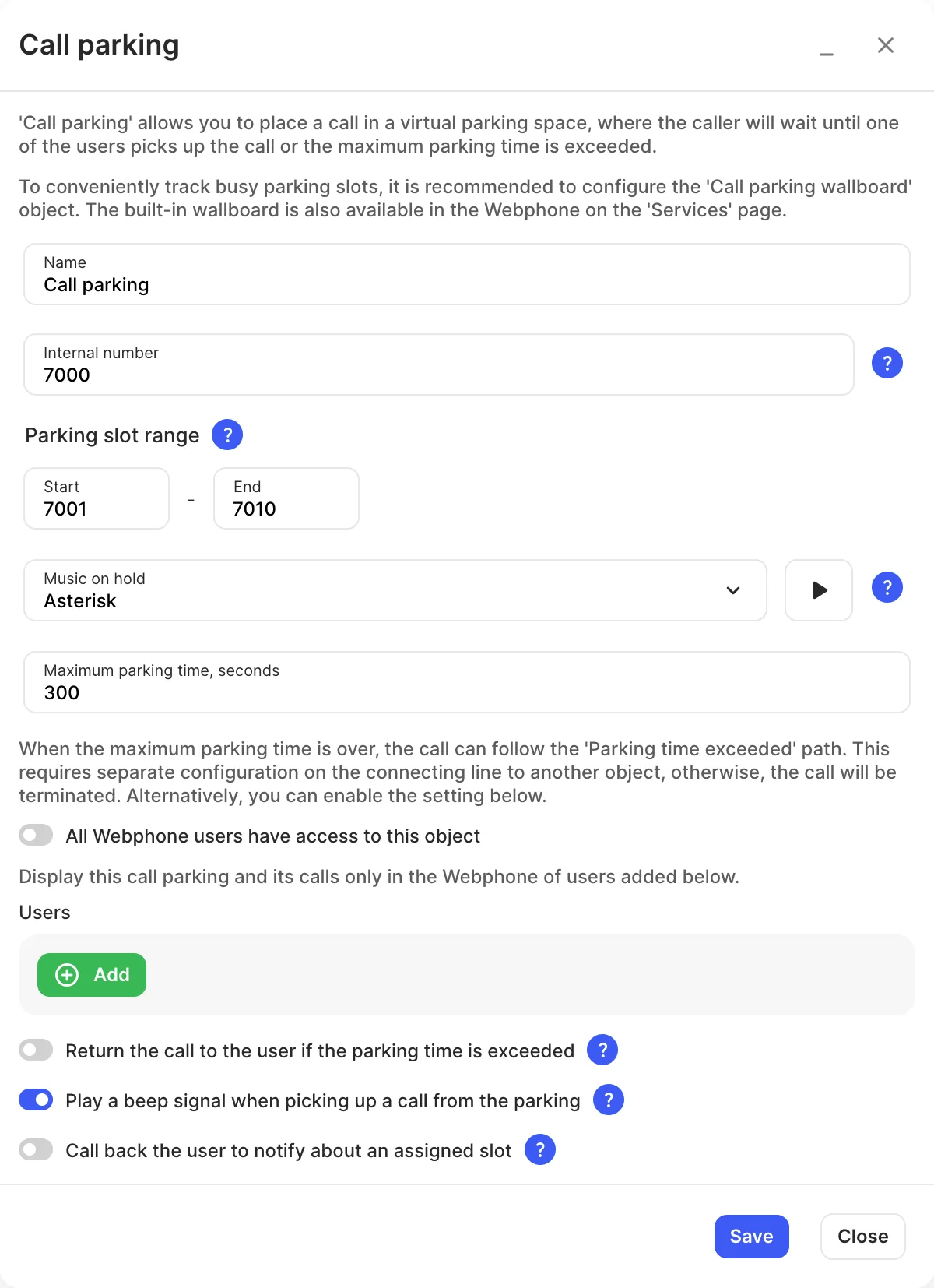
- Enter a Name, check the Internal number and set the Parking slot range.
- Choose who can see it in the Webphone.
- Click Save and Apply configuration.
Park and pick up a call
Section titled “Park and pick up a call”- Park: transfer the call (blind or attended) to the call parking’s Internal number. The system puts it in a free slot.
- Pick up: dial the slot number. In the Webphone, parked calls are shown on the Services page, where you can pick them up with one click.
Settings
Section titled “Settings”| Setting | What it does |
|---|---|
| Name | Label on the canvas and in the Webphone. |
| Internal number | Transfer a call here to park it. |
| Parking slot range | The first and last slot numbers. Each slot is an internal number. |
| Music on hold | Played to a call parked by blind transfer. With an attended transfer, the parking user’s music on hold is used. |
| Maximum parking time, seconds | How long a call can stay parked. |
| All Webphone users have access to this object | Shows this call parking to all Webphone users. Turn it off to choose specific Users. |
| Return the call to the user if the parking time is exceeded | Sends an unanswered parked call back to whoever parked it. With this on, the object has no entry or exit points on the canvas. |
| Play a beep signal when picking up a call from the parking | The parked caller hears a beep when someone picks up. |
| Call back the user to notify about an assigned slot | Calls the user back to say which slot the call is in. With this on, the object has no entry point on the canvas. |
Call paths
Section titled “Call paths”| Path | When it’s used |
|---|---|
| Parking time exceeded | Nobody picked up the call in time. Not available when Return the call to the user if the parking time is exceeded is on. |