Call flow control
Last updated View as Markdown (opens in a new tab)
Switch calls between two routes by dialling a code or tapping a button in the Webphone.
Call flow control is a switch with two states, Active and Passive. Calls go out of the matching path. Change the state by dialling the object’s internal number or from the Webphone.
Use it to close the office early, switch to an emergency message, or override your normal Time conditions.
Add it to your call flow
Section titled “Add it to your call flow”- Drag Call flow control from the Conditions group onto the canvas and click the gear icon.
- Enter a Name and check the Internal number.
- Choose who can switch it from the Webphone.
- Choose the current state, Active or Passive.
- Click Save, connect the Active and Passive paths, and click Apply configuration.
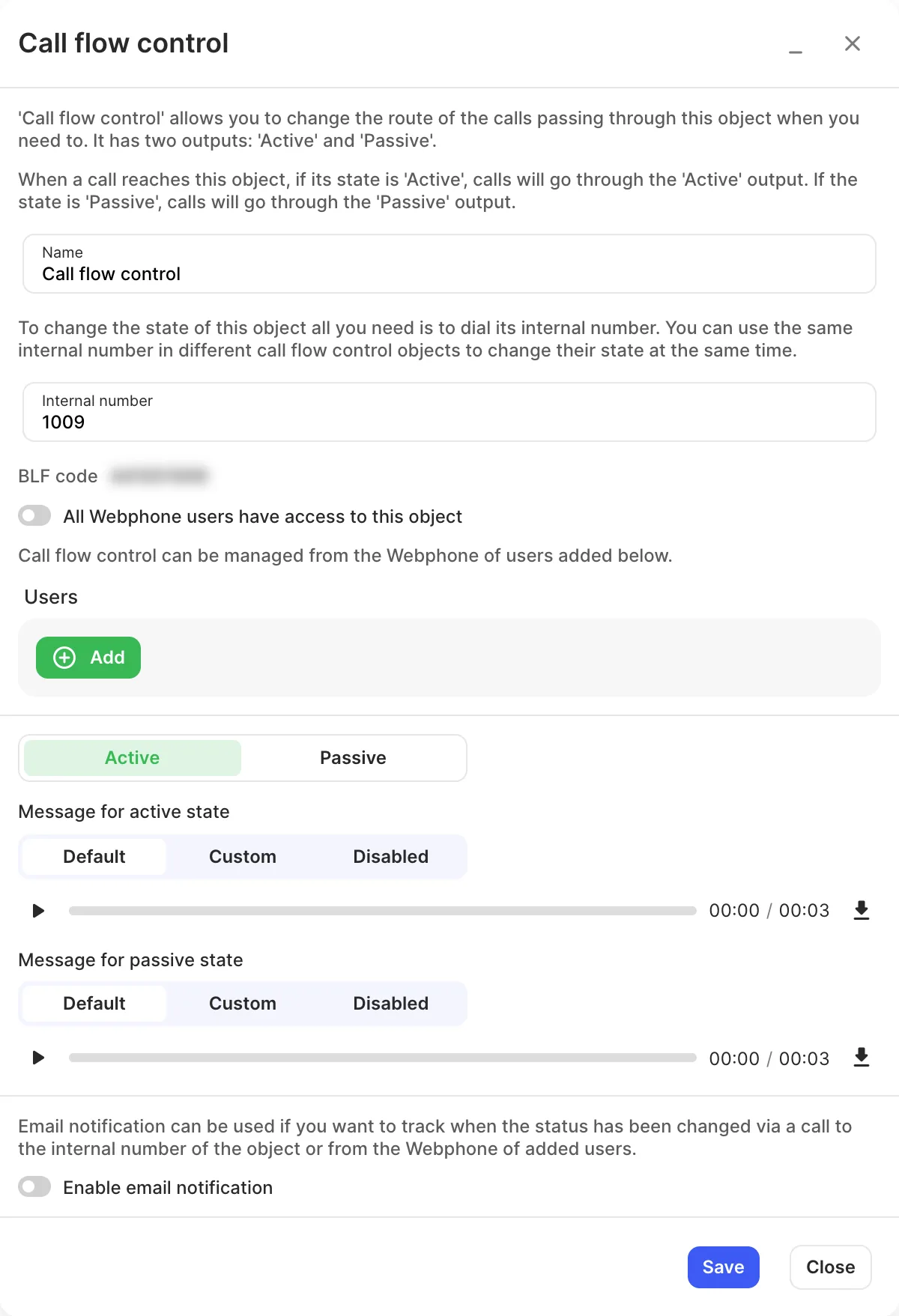
Settings
Section titled “Settings”| Setting | What it does |
|---|---|
| Name | Label on the canvas and in the Webphone. |
| Internal number | Dial it to change the state. Give several call flow controls the same number to switch them together. |
| BLF code | Program it on a desk phone key to see the current state and switch it with one press. |
| All Webphone users have access to this object | Lets every Webphone user switch it. Turn it off to choose specific Users. |
| Active / Passive | The current state. |
| Message for active state / Message for passive state | What the caller dialling the internal number hears after switching (Default, Custom or Disabled). |
| Enable email notification | Emails you whenever the state is changed by phone or from the Webphone. |
Call paths
Section titled “Call paths”| Path | When it’s used |
|---|---|
| Active | The object is in the Active state. |
| Passive | The object is in the Passive state. |