Voice menu
Last updated View as Markdown (opens in a new tab)
Play a menu and send callers down different paths depending on the key they press.
A Voice menu (often called an IVR or auto attendant) plays a greeting such as “Press 1 for sales, 2 for support”, then sends the caller down the path for the key they press.
Add it to your call flow
Section titled “Add it to your call flow”- Drag Voice menu from the Conditions group onto the canvas and click the gear icon.
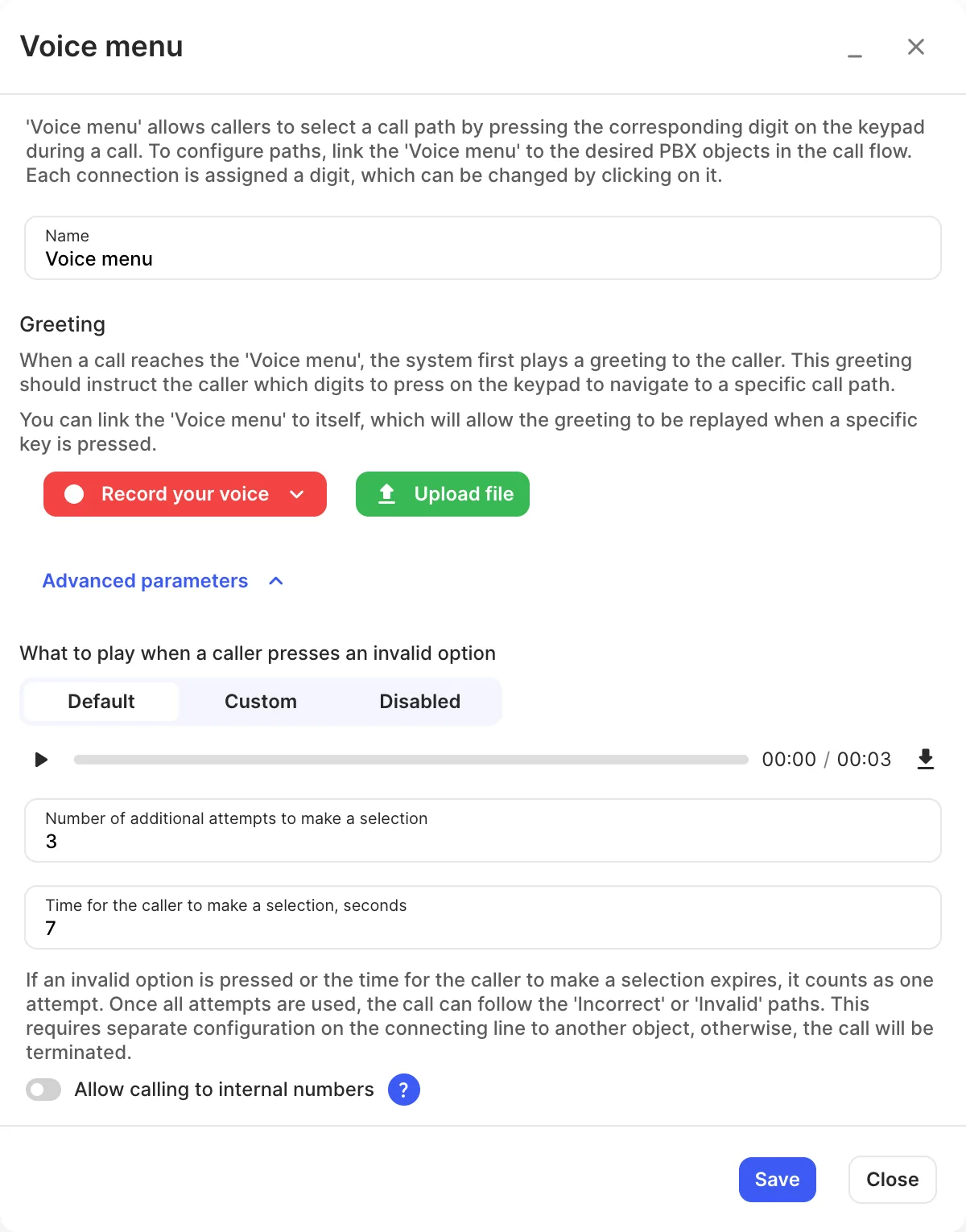
- Enter a Name and add a Greeting with Record your voice (record in the browser, or have the system call a phone so you can record over the call) or Upload file. The greeting must tell callers which key does what.
- Click Save.
- Drag connections from the voice menu to each destination. Each connection is given a key; click the key label on the line to change it.
- Connect the Timeout and Invalid paths too.
- Click Apply configuration.
Settings
Section titled “Settings”The settings after Greeting are under Advanced parameters.
| Setting | What it does |
|---|---|
| Name | Label on the canvas. |
| Greeting | The menu message. Record your voice in the browser or by phone, or Upload file. |
| What to play when a caller presses an invalid option | Default, Custom or Disabled. |
| Number of additional attempts to make a selection | How many more tries a caller gets after an invalid key or no key. |
| Time for the caller to make a selection, seconds | How long to wait for a key press. |
| Allow calling to internal numbers | Callers can dial the internal number of any PBX object that has one, such as a user’s extension, instead of a menu key. |
Call paths
Section titled “Call paths”| Path | When it’s used |
|---|---|
| 1–9, 0, *, # | The caller pressed that key. |
| Timeout | The caller didn’t press anything in time, on their last attempt. |
| Invalid | The caller pressed a key with no path, on their last attempt. |
If a path isn’t connected, the call ends.
- Connect a key back to the voice menu itself to let callers hear the menu again.
- For a professional greeting, use Services › Voiceover productions to generate one with AI or order one from a voice artist.
- Put Time conditions before the menu so callers outside business hours hear a different message.