Caller ID prefix
Last updated View as Markdown (opens in a new tab)
Add a label to the caller's number so users know which line or menu option a call came from.
Caller ID prefix adds text in front of the caller’s number for calls that pass through it. Users see where the call came from before they answer. For example, with the prefix SALES a call from 0123456789 shows as SALES:0123456789.
You can also set a distinctive ringtone for these calls.
Add it to your call flow
Section titled “Add it to your call flow”- Drag Caller ID prefix from the Identifiers group onto the canvas and click the gear icon.
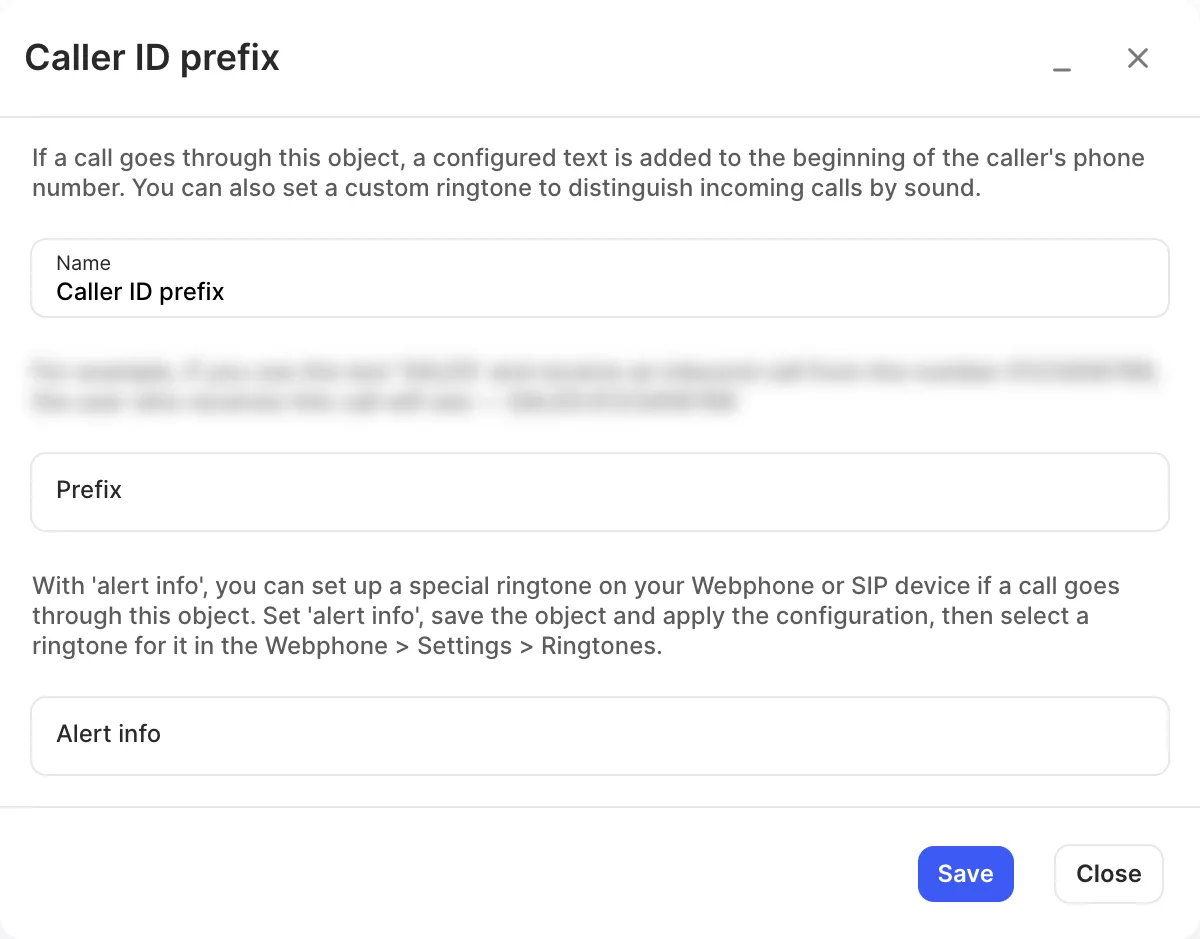
- Enter a Name and the Prefix.
- Optionally, set Alert info for a distinctive ringtone.
- Click Save, connect it between the call source and the users, and click Apply configuration.
Settings
Section titled “Settings”| Setting | What it does |
|---|---|
| Name | Label on the canvas. |
| Prefix | Text added in front of the caller’s number. |
| Alert info | Lets a Webphone or SIP device play a special ringtone. After saving and applying, choose the ringtone in the Webphone under Settings › Ringtones. |