Ring group
Last updated View as Markdown (opens in a new tab)
Ring several users at once or in turn, and send the call elsewhere if nobody answers.
A Ring group rings a set of users, either all at once or one after another. When someone answers, the others stop ringing. If nobody answers, the call takes the No answer path.
Unlike a Queue, a ring group doesn’t hold callers in line or retry. It suits small teams and offices where calls should be answered quickly or go to voicemail.
Add it to your call flow
Section titled “Add it to your call flow”- Drag Ring group from the Handling mass incoming calls group onto the canvas and click the gear icon.
- Enter a Name, then click Add and choose the users.
- Choose the Ring mode and set each user’s Ring time.
- Click Save.
- Connect the No answer path, for example to Voicemail, and click Apply configuration.
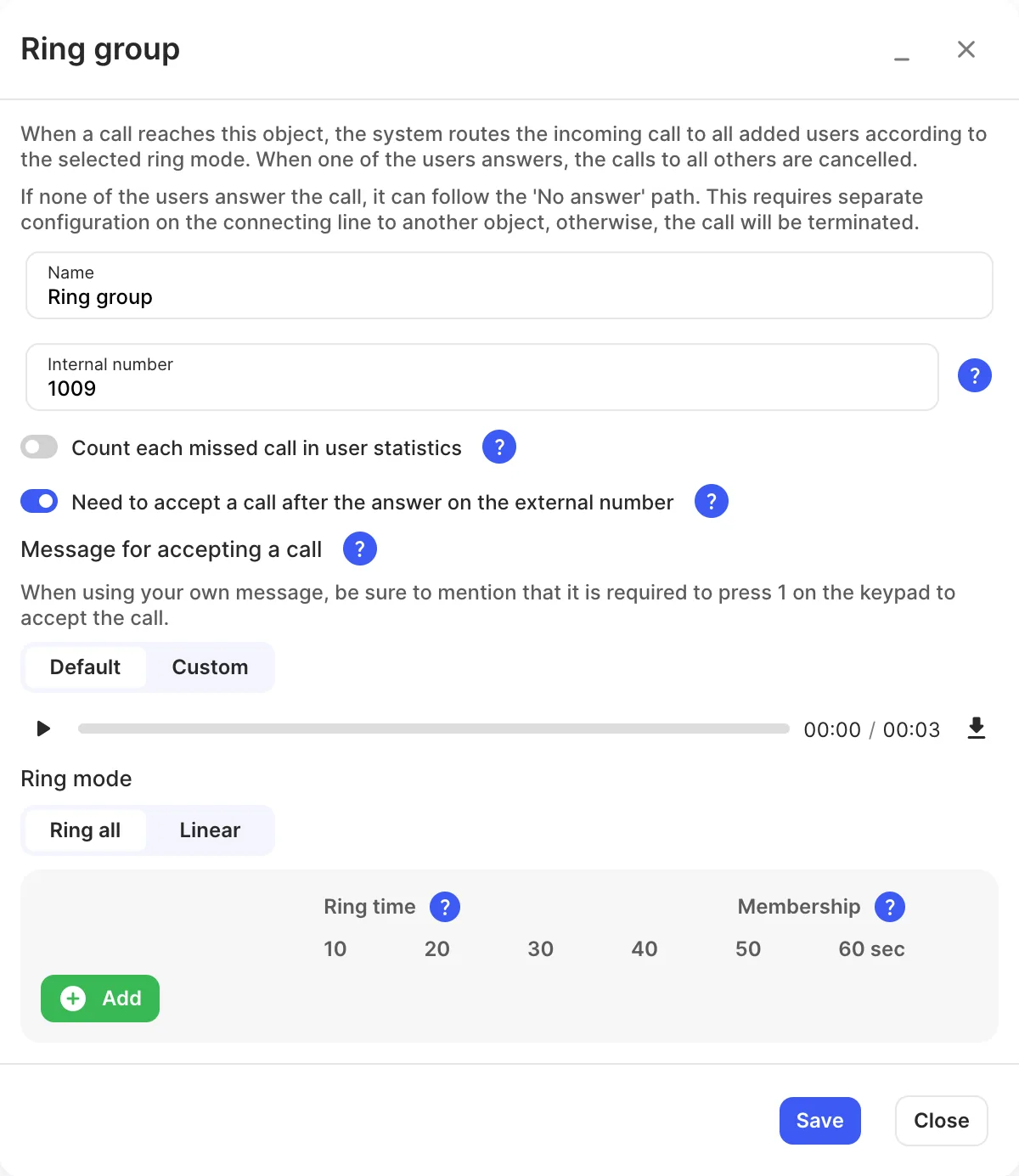
Settings
Section titled “Settings”| Setting | What it does |
|---|---|
| Name | Label on the canvas and in reports. |
| Internal number | Users can dial or transfer calls to the group. |
| Count each missed call in user statistics | Counts every unanswered ring as missed in Reports › User statistics, even when someone else answered. |
| Need to accept a call after the answer on the external number | Users answering on an external number must press 1 to accept. |
| Message for accepting a call | The prompt asking them to press 1 (Default or Custom). |
| Ring mode | Ring all: everyone rings at once. Linear: one after another, in the order listed (drag to reorder). |
| Ring time | How long each user rings. If a user’s own ring time is shorter, their setting is used. |
| Membership | Turn a user off to stop ring group calls reaching them. Users can also switch this in the Webphone: see Queues and ring groups in the Webphone. |
Call paths
Section titled “Call paths”| Path | When it’s used |
|---|---|
| No answer | Nobody answered. If it isn’t connected, the call ends. |