Conference
Last updated View as Markdown (opens in a new tab)
Let several callers join the same conversation, with an optional PIN and recording.
Conference is a conference room that callers join by calling in. Everyone who reaches it joins the same conversation.
Add it to your call flow
Section titled “Add it to your call flow”- Drag Conference from the Different group onto the canvas and click the gear icon.
- Enter a Name and, optionally, a PIN code.
- Click Save.
- Connect an Inbound number or Internal number to it so people can dial in.
- Click Apply configuration.
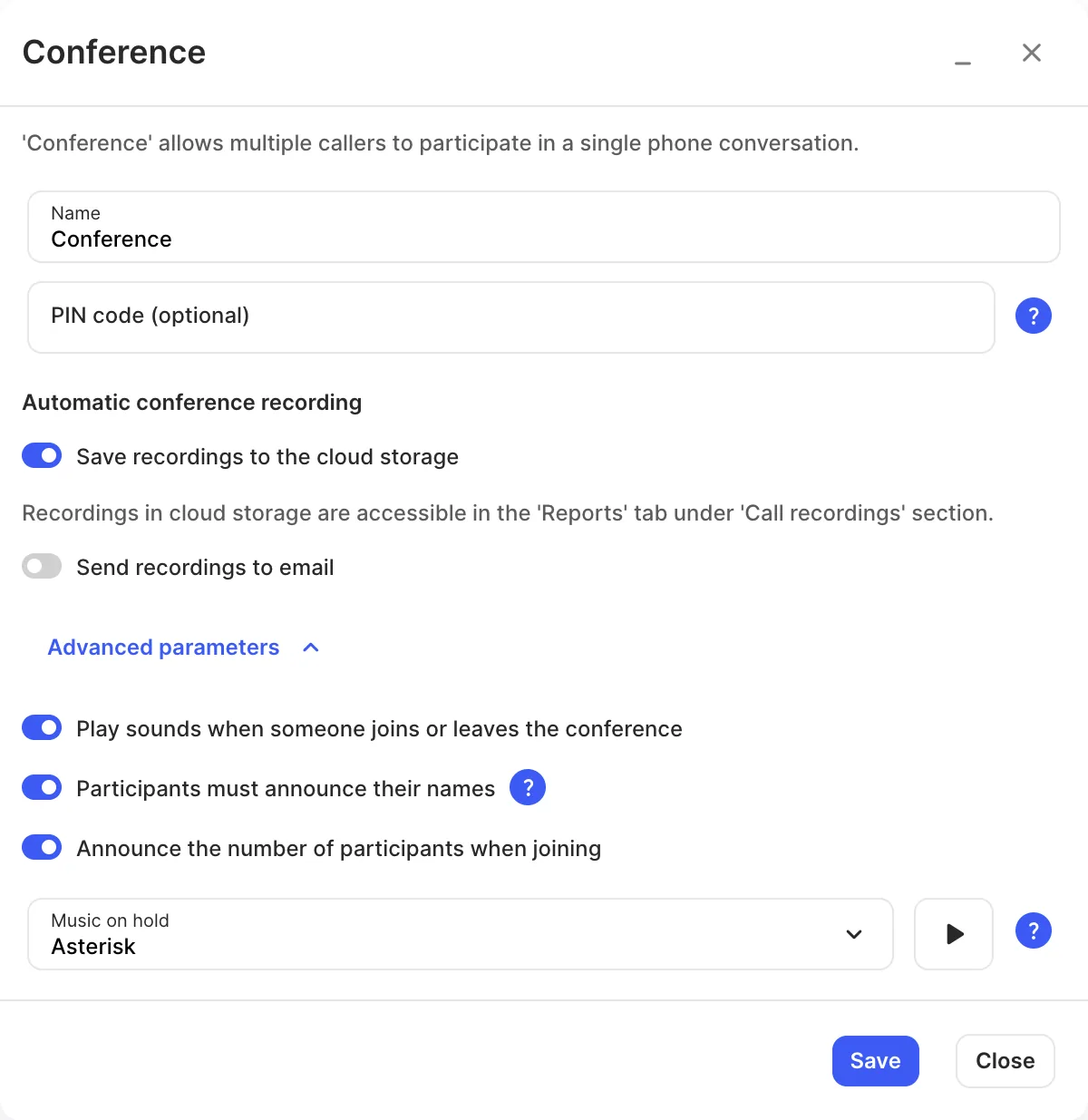
Settings
Section titled “Settings”| Setting | What it does |
|---|---|
| Name | Label on the canvas. |
| PIN code (optional) | Callers must enter this to join. |
| Transcribe audio to text | Under Automatic conference recording. Turns conference recordings into text transcripts. Needs the Speech-to-text service. |
| Save recordings to the cloud storage | Under Automatic conference recording. Records the conference to Reports › Call recordings. Requires call recording storage. |
| Send recordings to email | Emails the recording. |
| Play sounds when someone joins or leaves the conference | A tone when people come and go. |
| Participants must announce their names | Callers record their name, which is played to others when they join or leave. |
| Announce the number of participants when joining | Tells new callers how many people are in the conference. |
| Music on hold | Played while only one person is in the conference. |