Call diversion
Last updated View as Markdown (opens in a new tab)
Send incoming calls to one or more external numbers, such as mobiles.
Call diversion forwards incoming calls to external numbers, such as a mobile or another office. You can ring several numbers at once or one after another.
Add it to your call flow
Section titled “Add it to your call flow”- Drag Call diversion from the Accept, make and divert calls group onto the canvas and click the gear icon.
- Enter a Name.
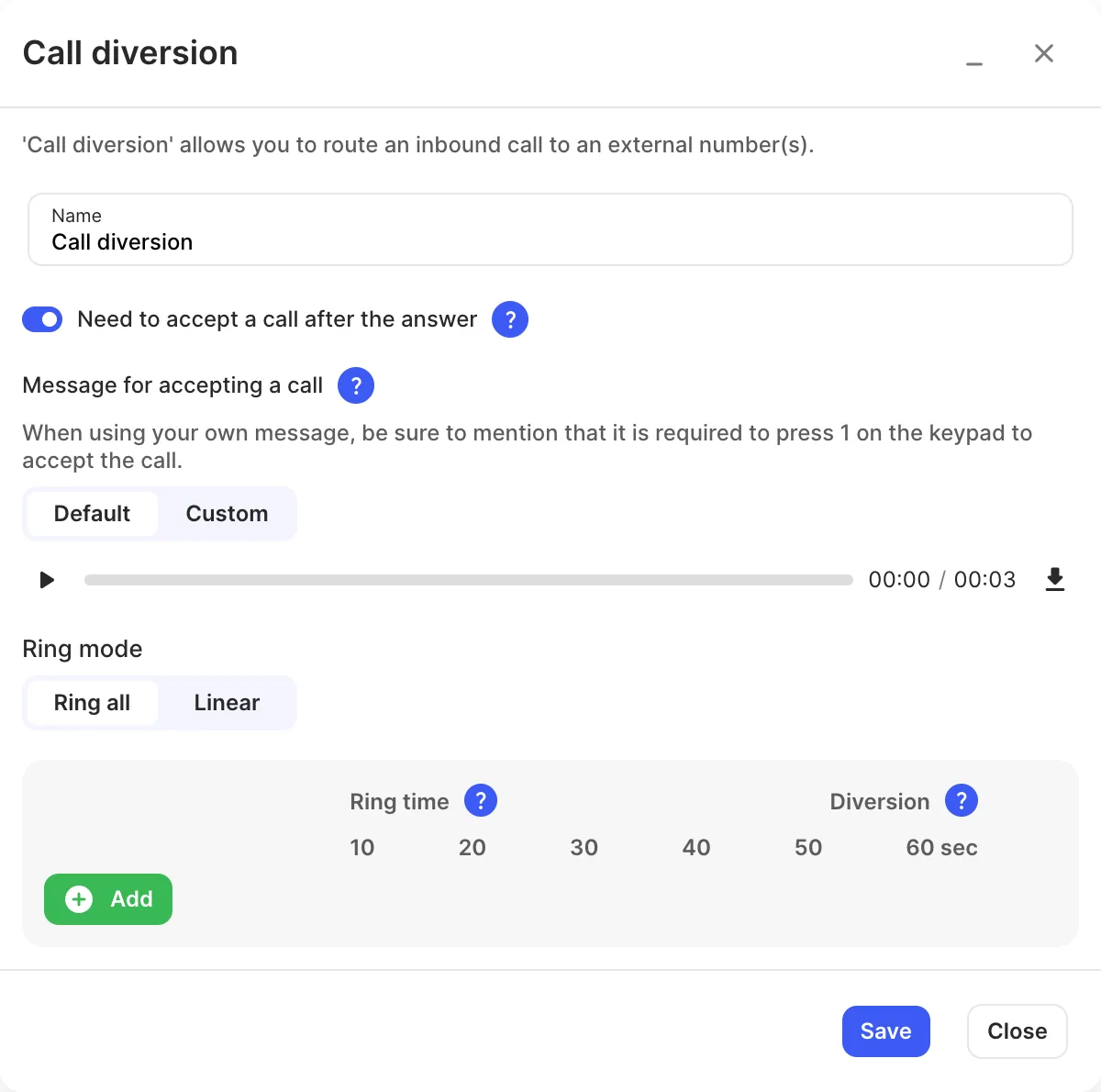
- Click Add and enter each external number.
- Choose the Ring mode and set each number’s Ring time.
- Click Save, connect an Inbound number or other object to it, and click Apply configuration.
Settings
Section titled “Settings”| Setting | What it does |
|---|---|
| Name | Label on the canvas. |
| Need to accept a call after the answer | The person who answers must press 1 before the call connects. The caller hears ringing until then. This shows the call came through your PBX and stops it being answered by a mobile’s own voicemail. |
| Message for accepting a call | The prompt asking them to press 1. Use Default, or Custom to record your own (mention pressing 1). |
| Ring mode | Ring all: all numbers ring at once. Linear: one after another, in the order listed (drag to reorder). |
| Ring time | How long each number rings. With Ring all, the same ring time applies to every number. |
| Diversion | Turn a number off to stop calls going to it without deleting it. |
Call paths
Section titled “Call paths”| Path | When it’s used |
|---|---|
| No answer | None of the numbers answered. Connect it to Voicemail so callers can leave a message. |
- To ring a user’s desk phone and their mobile together, add the mobile as an External number device on the User instead.