Account details
Update your service and shipping addresses and PBX time zone, and see your subscriptions and administrators.
Billing › Account details holds the primary account holder’s details, your service and shipping addresses, the time zone your PBX uses, your active subscriptions, and the people who can sign in to the portal.
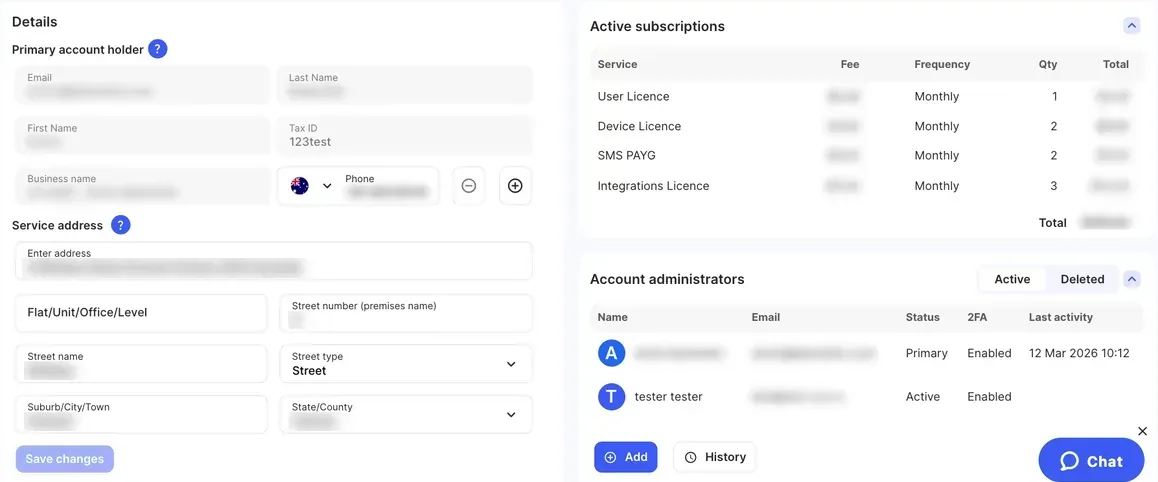
Details
Section titled “Details”| Setting | What it does | Notes |
|---|---|---|
| Primary account holder | Email, First Name, Last Name, Business name, Tax ID and phone numbers of the account owner. | You can add or remove phone numbers here. The email, names and business name can’t be changed on this page: to update them, raise a support ticket. The Tax ID is entered during account verification. |
| Service address | Where your service is used. | Use your real address: some functions in the system depend on it. Start typing in Enter address, or fill in the fields one by one. To change the country, contact the support team. |
| Shipping (postal) address | Where equipment you order is sent. | Turn on Same as service address to reuse it, or enter another address and the To (Recipient) name. It’s filled in automatically when you order equipment. |
| Time zone | Under Settings. The time zone your PBX uses. | Set it correctly so Time conditions switch at the right local time. |
Click Save changes when you’re done. You can change these details only after your account is verified. See Identity verification.
Australia only
Each phone number also has its own emergency address. See Emergency calls.
Active subscriptions
Section titled “Active subscriptions”Lists every recurring service (Service) on your account, with its Fee, Frequency, quantity (Qty) and Total, plus the overall Total. This is your minimum monthly cost before calls and other usage.
To change a subscription, go to the Services tab. For example, order or remove licences in PBX licences.
Account administrators
Section titled “Account administrators”Lists everyone who can sign in to the portal for this account, with their Status and whether two-factor authentication is on (2FA). Click Add to add one. See Administrators and access.