API request
Last updated View as Markdown (opens in a new tab)
Ask your own server where to send a call, or what label to show, while the call is in progress.
API request sends an HTTP request to your server when a call reaches it, and uses the response to decide what happens. For example, look the caller up in your CRM and send them straight to their account manager.
Before you start
Section titled “Before you start”This object needs the Integrations service: Services › PBX licences › Advanced features. Without it, the object won’t work.
Add it to your call flow
Section titled “Add it to your call flow”- Drag API request from the Advanced group onto the canvas and click the gear icon.
- Enter a Name and choose the Mode.
- Enter the endpoint URL, an optional Secret token and any HTTP headers.
- Click Save, connect the paths, and click Apply configuration.
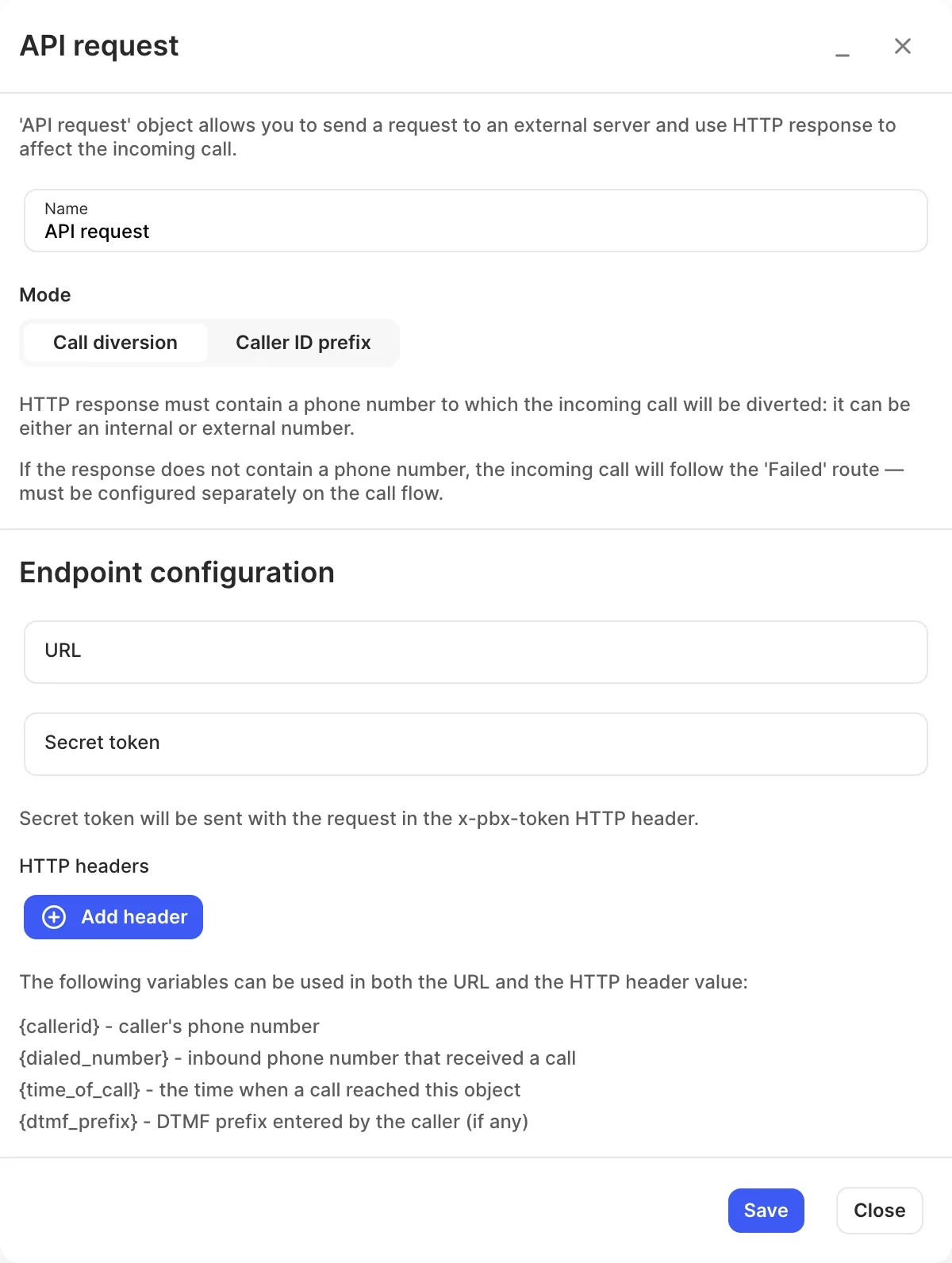
| Mode | What your server must return |
|---|---|
| Call diversion | A phone number, internal or external, to send the call to. If the response has no number, the call takes the Failed path. |
| Caller ID prefix | Text to add in front of the caller’s number, like the Caller ID prefix object: up to 45 characters, Latin letters and digits only. |
Settings
Section titled “Settings”| Setting | What it does |
|---|---|
| Name | Label on the canvas. |
| Mode | Call diversion or Caller ID prefix. |
| URL | Your endpoint. |
| Secret token | Sent in the x-pbx-token HTTP header so your server can check the request came from your PBX. |
| HTTP headers | Extra headers to send. |
You can use these variables in the URL and header values:
| Variable | Value |
|---|---|
{callerid} |
The caller’s phone number. |
{dialed_number} |
Your inbound number that received the call. |
{time_of_call} |
When the call reached this object. |
{dtmf_prefix} |
Digits the caller entered in a DTMF prefix, if any. |
Call paths
Section titled “Call paths”| Path | When it’s used |
|---|---|
| Failed | Call diversion mode only: the response didn’t contain a number. |
| Unlabelled output | Caller ID prefix mode only: the call continues here with the prefix added. |