Call recording
Last updated View as Markdown (opens in a new tab)
Record every incoming call that passes this point in the call flow.
Call recording records every incoming call that passes through it, from that point on. Place it right after an Inbound number to record all calls to that number.
To record a user’s outgoing calls, turn on Automatically record all outgoing calls in the User settings instead.
Add it to your call flow
Section titled “Add it to your call flow”- Drag Call recording from the Audio group onto the canvas and click the gear icon.
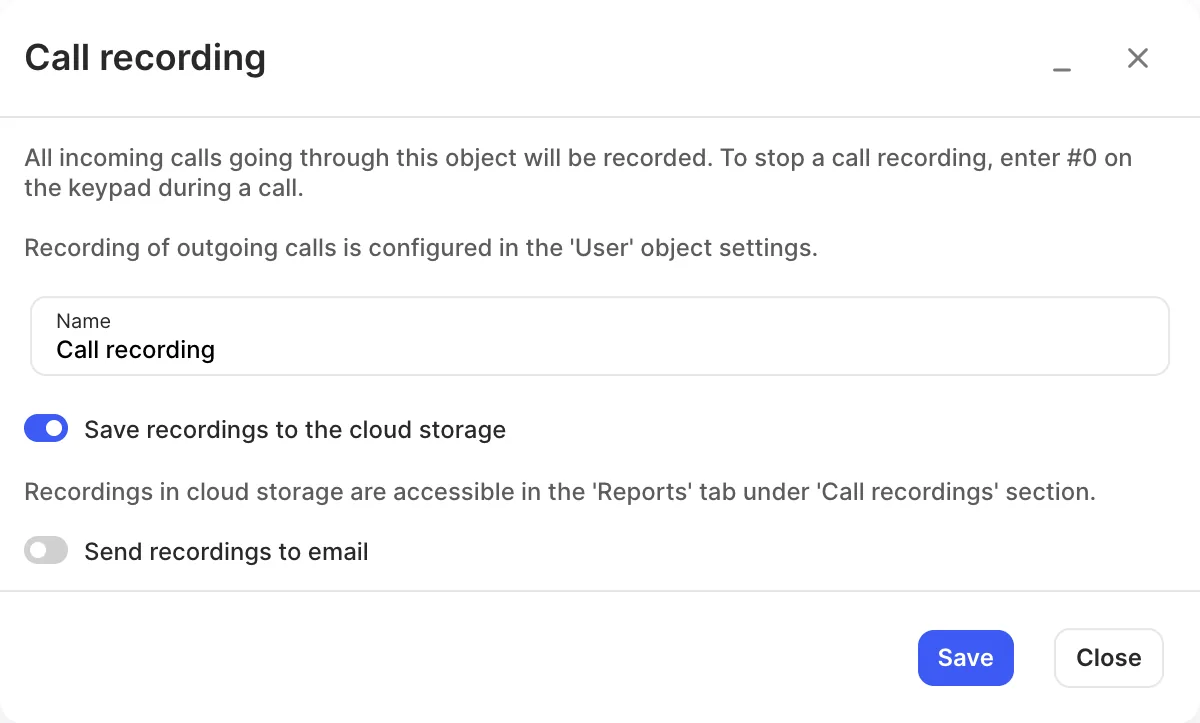
- Enter a Name and choose where recordings go.
- Click Save, connect it into the call flow, and click Apply configuration.
Settings
Section titled “Settings”| Setting | What it does |
|---|---|
| Name | Label on the canvas. |
| Transcribe audio to text | Turns each recording into a text transcript. Needs the Speech-to-text service. |
| Save recordings to the cloud storage | Keeps recordings in Reports › Call recordings. Requires call recording storage from Services › Call recording. |
| Send recordings to email | Emails each recording to the addresses you enter, with the Subject you set. |
At least one of the two options must be on.
During a recorded call, press #0 to stop recording.
Related
Section titled “Related”- Stop call recording
- General settings — turn on cloud recording or speech-to-text for all objects
- Speech-to-text