Turn off Teams voicemail
Stop Microsoft Teams answering missed calls with its own voicemail, so they follow your PBX call flow.
Microsoft Teams has its own voicemail, turned on by default. With direct routing, it can answer a missed call before your PBX gets the chance to send it to the next person or to PBX Voicemail. Turn it off in the Teams admin centre.
Before you start
Section titled “Before you start”Sign in to Microsoft 365 as a global administrator.
-
In the Microsoft 365 admin centre, select All admin centers, then Teams. The Microsoft Teams admin center opens.
-
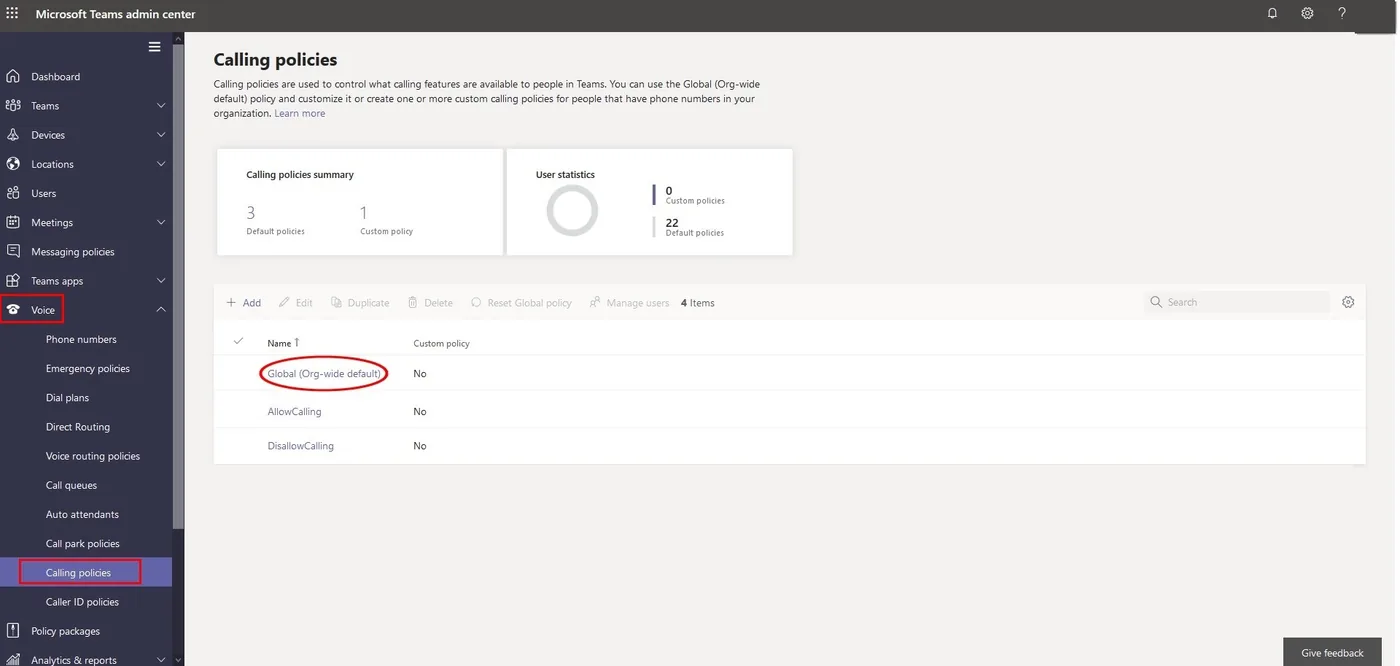
Go to Voice › Calling policies and click Global (Org-wide default).
-
Set Voicemail is available for routing inbound calls to Disabled.
-
Click Save.
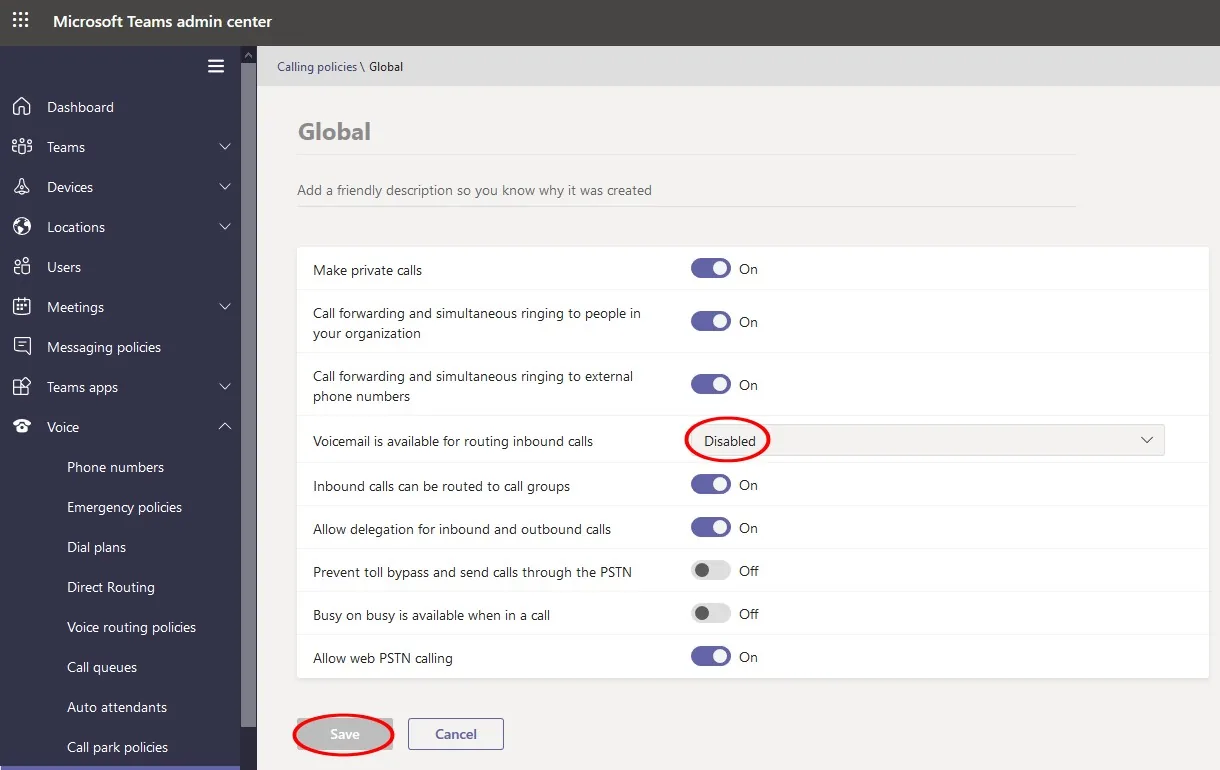
The Global policy applies to everyone who doesn’t have a custom calling policy. If some users have a custom policy, change the same setting in that policy too.
Check it works
Section titled “Check it works”Call a Teams user from a mobile and don’t answer. The call should follow the PBX call flow, for example the user’s No answer path, instead of Teams voicemail.