Order phones and accessories
Last updated View as Markdown (opens in a new tab)
Buy desk phones, cordless phones, Teams phones, power supplies and accessories from the portal.
You can buy phones and accessories that are tested on the network in Services › Phones and accessories. The range includes desk phones, cordless (DECT) phones, Microsoft Teams phones and power supplies.
Before you start
Section titled “Before you start”- Each phone needs a device licence before it can make calls. Check you have enough in PBX licences.
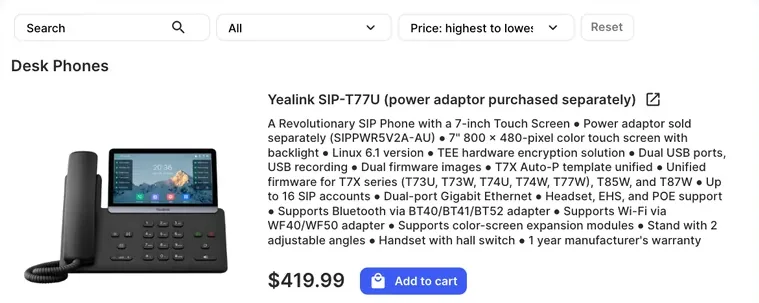
- Some phones don’t include a power adaptor. The product name says “power adaptor purchased separately” when that’s the case. Add one from Power Supplies to the same order, unless you’ll power the phone over PoE.
- Not sure which model you need? See Choose a Yealink phone or ask the support team through a support ticket.
Order equipment
Section titled “Order equipment”- Go to Services › Phones and accessories.
- Find a product. Type in Search, choose a Category, or change the Sorting (Price: lowest to highest or Price: highest to lowest). Click Reset to clear the filters.
- To read the manufacturer’s data sheet, click the open-in-new-window icon next to the product name.
- Click Add to cart. The item and its price appear in Order summary.
- Tick Agree to service terms and conditions and click Submit order.
Check it works
Section titled “Check it works”Equipment isn’t charged to your account balance. After you submit the order, an invoice for the equipment is generated and sent to you separately. You can also see and pay it in Invoices. Processing starts once it’s paid in full.
Check the equipment invoice for dispatch and tracking details once your order is on its way.
Next steps
Section titled “Next steps”- Set up the phone: Auto-provisioning for Yealink phones.
- Each product’s description shows its warranty. If a phone develops a fault, see Hardware warranty.