Fax to email
Last updated View as Markdown (opens in a new tab)
Receive faxes on one of your numbers as PDF attachments by email.
Fax to email receives faxes sent to one of your numbers, converts them to PDF and emails them to the addresses you choose.
Before you start
Section titled “Before you start”You need a Fax to email licence. Without one, the settings window says there are no available licences. You also need a phone number to use as your fax number.
Add it to your call flow
Section titled “Add it to your call flow”- Drag Fax to email from the Different group onto the canvas and click the gear icon.
- Enter a Name and click Add email for each address that should receive faxes.
- Click Save.
- Connect the Inbound number for your fax number directly to this object.
- Click Apply configuration.
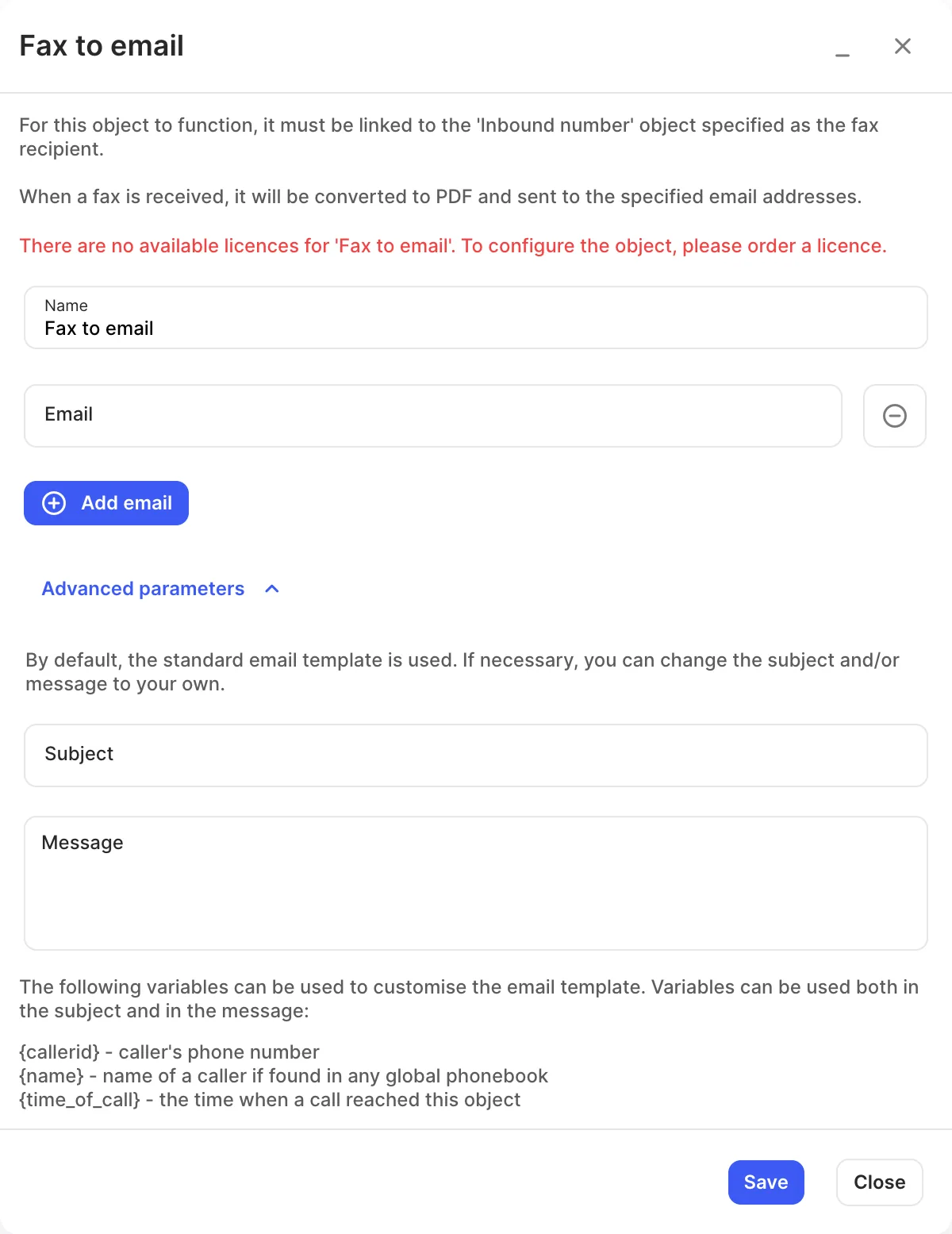
Settings
Section titled “Settings”| Setting | What it does |
|---|---|
| Name | Label on the canvas. |
| Addresses that receive each fax as a PDF. | |
| Subject / Message | Under Advanced parameters, replace the standard email with your own. |
Variables for the subject and message:
| Variable | Value |
|---|---|
{callerid} |
The sender’s fax number. |
{name} |
The sender’s name, if they’re in a global phonebook. |
{time_of_call} |
When the fax arrived. |