Announcement
Last updated View as Markdown (opens in a new tab)
Play a recorded message to callers before the call continues.
Announcement plays a message to the caller, such as a welcome, a holiday closure notice or a call-recording notice. After the message, the call continues to the next object.
Add it to your call flow
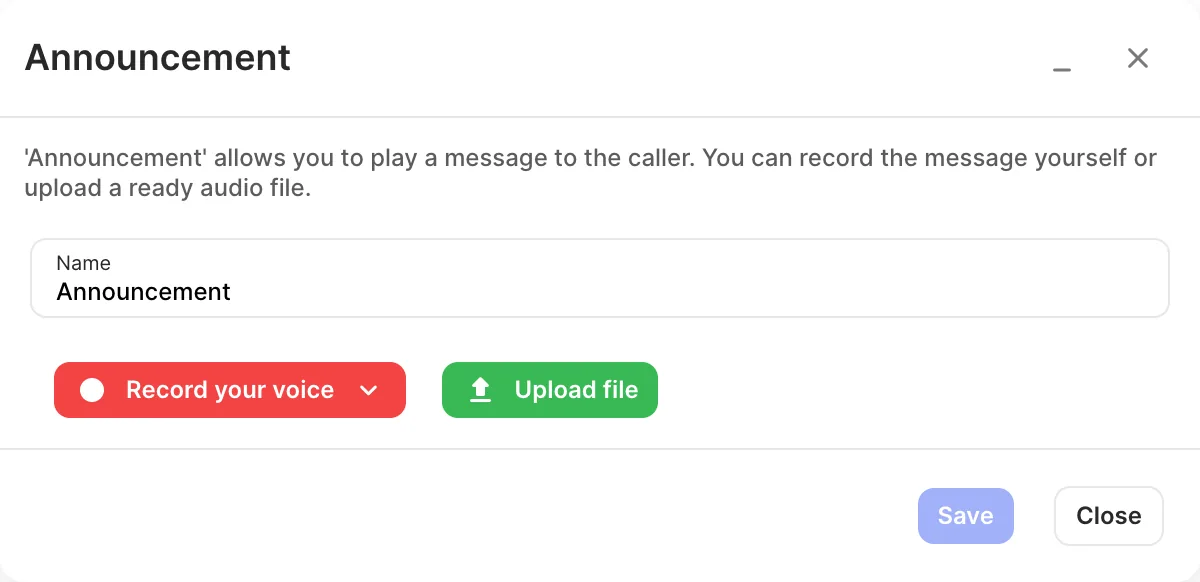
Section titled “Add it to your call flow”- Drag Announcement from the Audio group onto the canvas and click the gear icon.
- Enter a Name.
- Add the message with Record your voice (Via browser or Via incoming call) or Upload file.
- Click Save, connect it where it should play, and click Apply configuration.
Settings
Section titled “Settings”| Setting | What it does |
|---|---|
| Name | Label on the canvas. |
| Record your voice | Via browser records with your computer’s microphone. Via incoming call has the system call a user, number or account so you can record over the phone. Without a separate microphone, recording by phone usually sounds better. |
| Upload file | Upload a ready-made audio file. Only .wav files are supported. |
- If nothing is connected after the announcement, the call ends when the message finishes. That’s useful for “We’re closed” messages.
- For a professional recording, use Services › Voiceover productions to generate one with AI or order one from a voice artist.