PIN code
Last updated View as Markdown (opens in a new tab)
Ask callers for a PIN before they can continue through the call flow.
PIN code asks callers to enter a code. Callers who enter it correctly continue on the Correct path; everyone else ends up on the Incorrect path. Use it to protect a private line, a staff-only menu or Dial tone access.
Add it to your call flow
Section titled “Add it to your call flow”- Drag PIN code from the Protection group onto the canvas and click the gear icon.
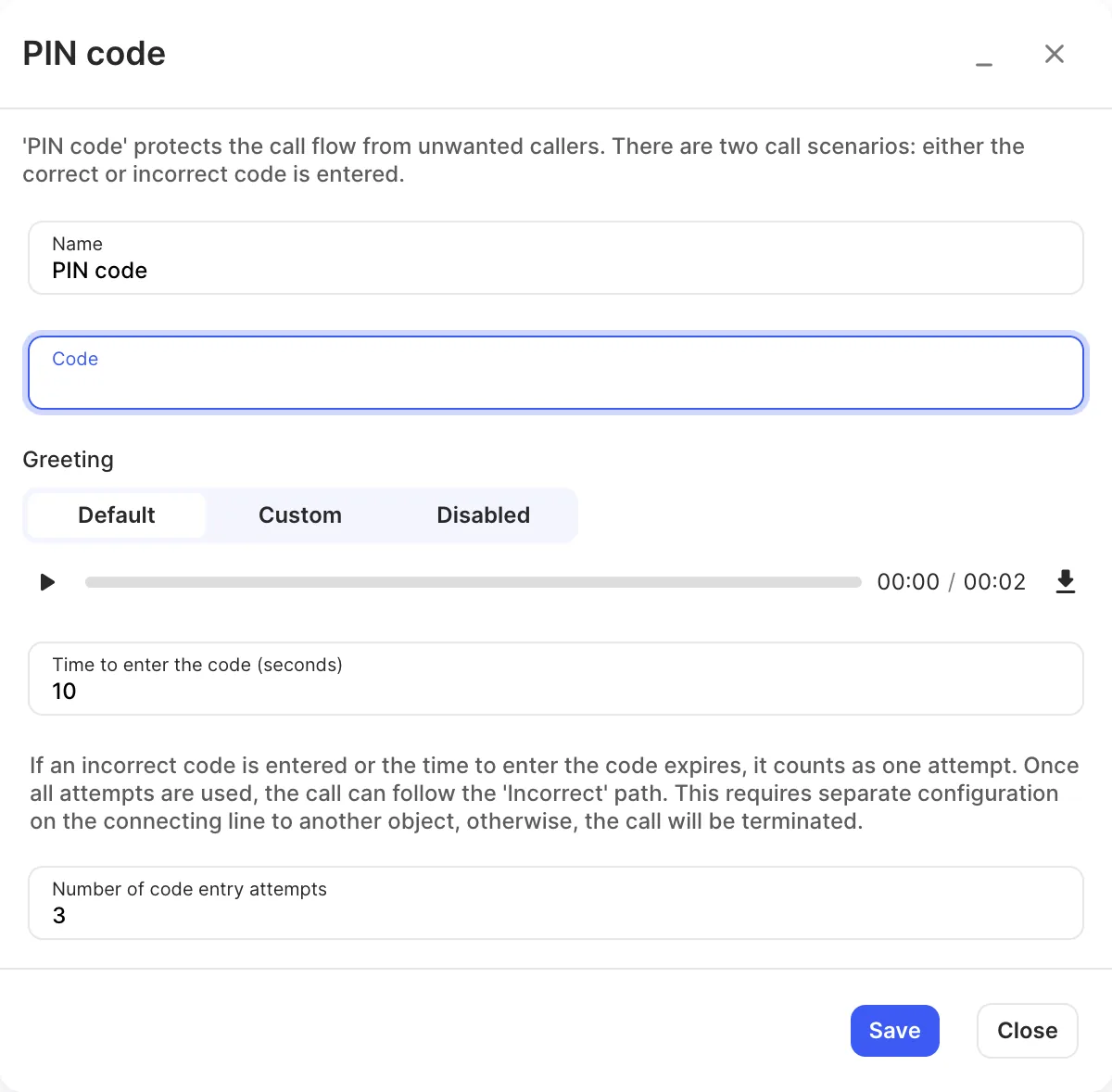
- Enter a Name and the Code.
- Choose the Greeting and set the time and number of attempts.
- Click Save, connect the Correct and Incorrect paths, and click Apply configuration.
Settings
Section titled “Settings”| Setting | What it does |
|---|---|
| Name | Label on the canvas. |
| Code | The PIN callers must enter. |
| Greeting | The prompt asking for the PIN (Default, Custom or Disabled). |
| Time to enter the code (seconds) | How long callers have to enter the PIN. |
| Number of code entry attempts | How many tries callers get. A wrong code or running out of time counts as one attempt. |
Call paths
Section titled “Call paths”| Path | When it’s used |
|---|---|
| Correct | The caller entered the right PIN. |
| Incorrect | The caller used all their attempts. If it isn’t connected, the call ends. |