General settings
Last updated View as Markdown (opens in a new tab)
PBX-wide settings for call recording, speech-to-text, time zone, supervision PIN and TLS encryption.
Open Settings › General on the PBX tab for settings that apply to your whole PBX.
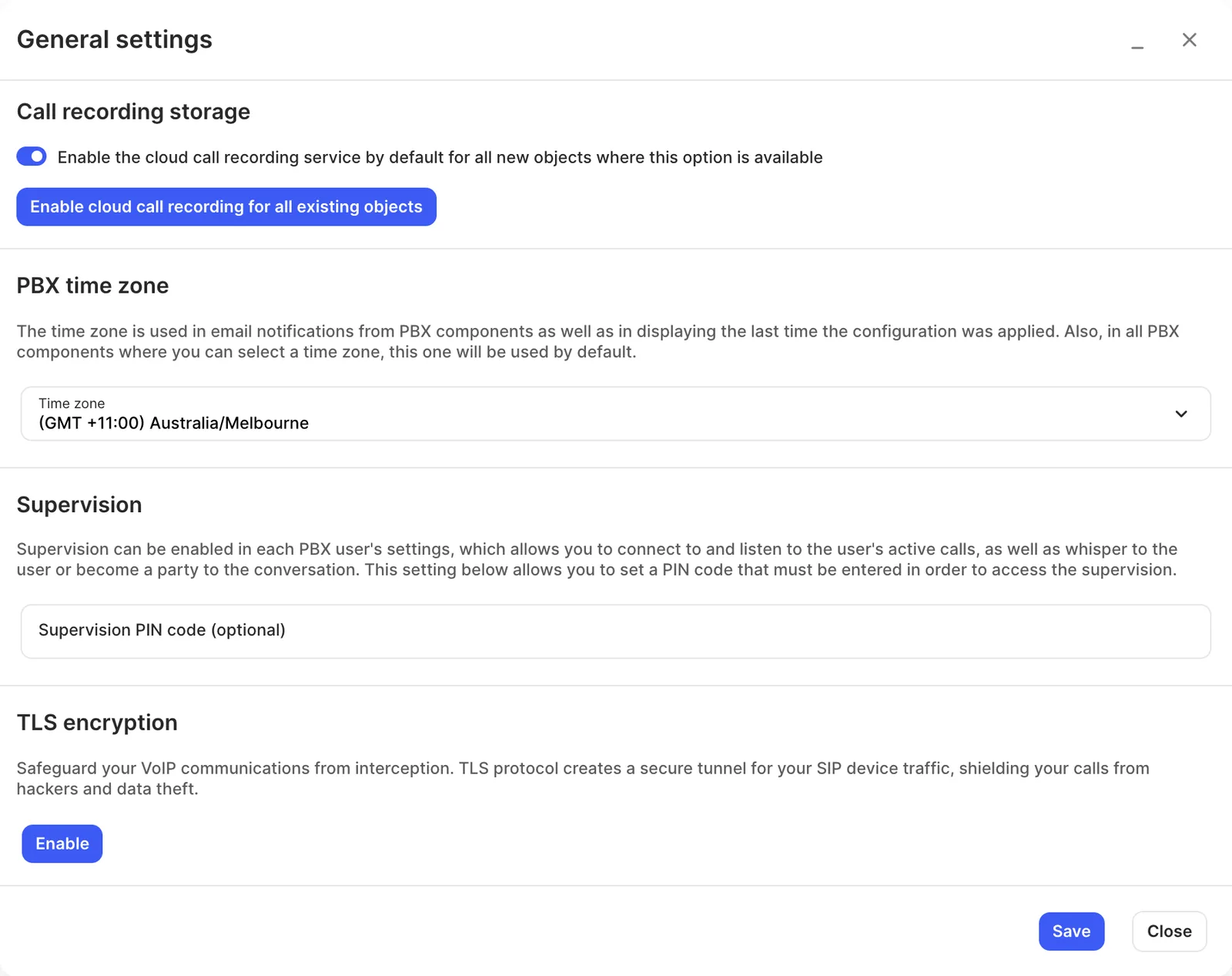
Settings
Section titled “Settings”| Setting | What it does |
|---|---|
| Enable the ‘Save recordings to the cloud storage’ setting by default for all new objects that support this option | Under Call recording storage. New users, conferences and call recording objects save recordings to cloud storage automatically. Needs the paid call recording storage service. |
| Enable cloud call recording for all existing objects | A button that turns cloud recording on in every existing object where it’s available, and starts recording all incoming and outgoing calls for every user. Apply the configuration afterwards. |
| Enable the ‘Transcribe audio to text’ setting by default for all new objects that support this option | Under Speech-to-text. New users, call recording objects, voicemails and conferences have Transcribe audio to text turned on automatically. Needs the Speech-to-text service. |
| Enable speech-to-text for all existing objects | A button that turns on Transcribe audio to text in every existing object where it’s available. Apply the configuration afterwards. |
| Time zone | Under PBX time zone. Used in email notifications, for the “last applied” time, and as the default time zone in objects such as Time conditions. |
| Supervision PIN code (optional) | A 4-digit PIN supervisors must enter before listening to calls. |
| TLS encryption | Click Enable to encrypt the connection between SIP devices and the PBX (TLS for signalling, SRTP for media), protecting calls from interception. Click Disable to switch back to TCP. |
Supervision
Section titled “Supervision”Supervision lets a supervisor listen to a user’s live call, whisper to the user without the caller hearing, or join the conversation. Turn on Allow this user to be supervised in each User you want to supervise, then set an optional PIN here.
While the user is on a call, dial *** followed by their internal number (for example ***1003) to start supervising. Then press:
- 4: listen only (the default).
- 5: whisper. The user hears you, but the other party doesn’t.
- 6: barge in. Everyone hears you.